|
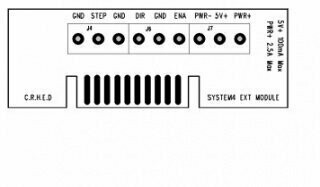
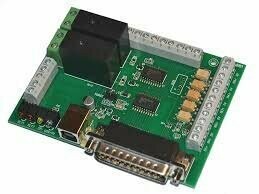
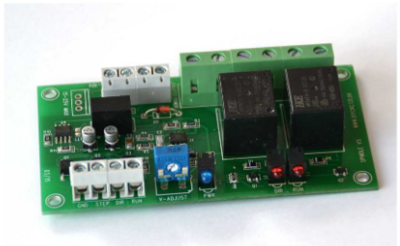
While above diagram shows the most popular system controlled via a PC parallel port, other system can make use of either the serial or USB ports but need extra electronic circuitry to decode the signals to step, direction, enable signals suitable for standard driver boards. Optical isolation is another consideration for some systems. This effectively isolates the signals between the computer or controller to the driver boards and motors were the may be hazardous voltages or voltage potentials between ground connections. Building your own system from scratch or modifying a manual machine to CNC does not normally require this isolation. Some driver boards already have opto isolators built into there input circuits but need perhaps more current than a standard parallel port can supply. For these you will need a buffered parallel interface to amplify the small currents available on the port sufficient to driver the isolators. While we have describe a simple system that will do the job. There are a few more things that can be added to the system to improve safety and usability. These include a charge pump circuit that disables the system while the computer is being powered up or down or a software crash situation. Limit micro switches are also useful to stop the machine exceeding its cutting dimensions and causing the motors to stall or jam. Spindle control of the main motor either switching on or off or full speed control and reverse features. An emergency stop switch should also be mandatory in case of programing errors or control by the user and the protection of himself and the machine. It is also not advisable to leave the machine unattended when in use. Just because the machine is computer controlled you can go away and leave it to it's own devices. There may be a power interruption, a tool break off or a software error occur resulting in severe damage to the machine or work piece. Also be patient, remember how long these things take doing them manually. Don't expect to turn the jobs out ten to the dozen. The small machines are not designed for production work and force feeding the tools through the work can result in the stepper motors loosing position and the whole job ruined. SOFTWARE There are hundreds of CAD, CAM and CONTROL software packages available from free to some costing thousands of pounds. While there are many of the first two mentioned there are much fewer CONTROL programs available. ARTSOFT MACH2 & 3 are firm favorites followed by Kcam, both of these make use of the parallel port and is the most cost effective way of connecting your system together. There are several manufactures who have dedicated software to there own hardware and as such supply complete systems. The software run on the majority of systems is now Windows based and as such is very graphically orientated. Screens show the digital readouts of X, Y, Z positions, spindle speeds graphical views of tool paths and dozens of buttons, readouts that can be quite daunting to the newcomer. There are still one or two old DOS based software packages capable of being run on an older machine TurboCNC for example. By far the most common language used to describe the cutting paths of the machine is Fanuc or G-Code. This coding system has been around for some time and basically consists of a G number that describes a particular function followed by an X, Y, Z coordinate of where the machine will move to. To complement the G-Codes are a table of M Codes that perform tasks like controlling spindle motors, tool change, stop etc. A CAD program short for Computer aided design is the starting point for most projects. This type of program is available for working in two or three dimensions. The three dimensional versions are usually quite expensive and complex in nature and have steep learning curves. Products like AutoCad and Pro Engineer cost thousands of pounds and take hundreds of hours to be fully proficient. Two dimensional CAD programs are usually much easier to get to grips with and there are many good free or shareware versions. Whatever program you decide on and use it takes time to get the most out of it. After you have created your drawing it needs to be converted into code suitable for running on your system. Here again we have combination packages that can do both CAD & CAM or standalone software that will convert existing drawings in various formats to the required G-code format. Many CAM programs can input images, drawn or photographic and convert them into three dimensions. You specify size, density and cutting depth and in a few seconds converts the image into thousands of lines of code. Most of these CAM programs output code to a list of specific machines but there is usually an option for a generic format suitable for home made systems. Most CAM programs will also emulate the cutter paths visually on screen at high or low speed. You can see how the machining operation will perform before actually cutting material. This graphical feature is very useful and saves a lot of wasted machine time. If your not interested in creating drawings and writing control codes it is worth converting a machine to CNC operation for the power feed and the digital position information that makes a machine a joy to use manually with jog control.
|